.png?width=100&height=63&name=Kry_badge_rgb%20(1).png)
Set up a task group
Any referrals required will be tasked back to the practice. Please create a task group called “Tasks from Kry” and add in all relevant practice staff, to ensure that anything passed back to practice can be picked up.
There will be some tasks that are urgent e.g. some 2ww referrals require the GP to complete tests prior to the referral. These tasks will be marked as urgent in the EMR and the practice should be monitoring / action these within 1 working day.
Select Workflow > Task List
Select Settings:
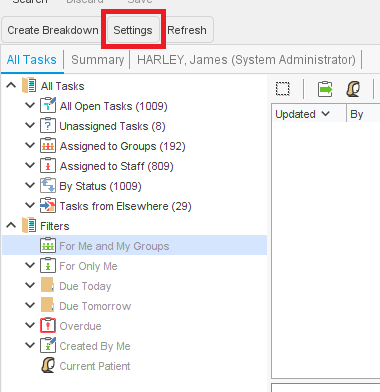
Select User Groups, click on New Group - create a group "Tasks from Kry":
.png?width=670&height=338&name=image%20(18).png)
Once created, please add at least three team members to the task group who will be responsible for actioning any tasks sent to this group.